

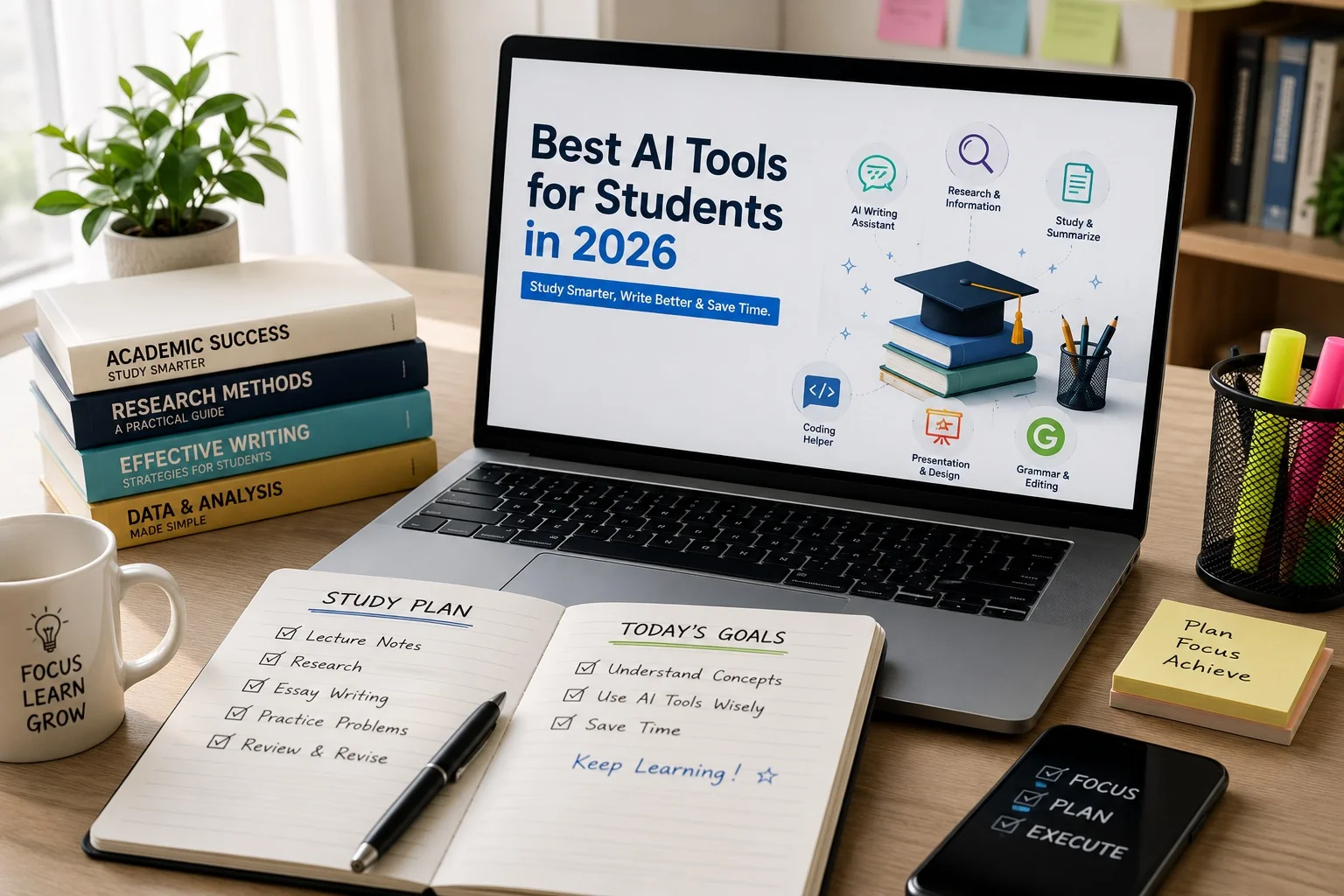
Best AI Tools for Students in 2026 to Study Smarter, Write Better & Save Time
Choosing the right AI tool for students isn’t about downloading whatever app is trending. It’s about matching the right assistant to the right academic task, whether that’s untangling a confusing lecture, tightening an essay’s argument, preparing for an exam, or debugging code before a submission deadline. This guide breaks down the AI apps for students that genuinely earn a place in a student’s toolkit this year, what each one does best, and where each one falls short, so you can build a study workflow instead of just collecting apps.
Quick Answer: The best AI tools for students in 2026 are Claude and ChatGPT for writing and studying, Perplexity AI and Gemini Notebook for research, and Grammarly, Canva AI, Gamma, Notion AI, and GitHub Copilot for specialized tasks. Most students get better results pairing 2-3 tools rather than relying on just one.
Why You Can Trust Our Recommendations
This list isn’t a random collection of trending app names. Every tool below was chosen based on three things: how widely it’s actually used by students today, whether it offers a genuinely usable free tier (not a locked trial), and how well it performs at one specific academic task rather than trying to do everything. We’ve also cross-checked each tool’s current standing against recent product updates, since AI tools change fast and a “best of” list that isn’t kept current quickly becomes useless.
How We Evaluated These AI Tools
AI has quickly become part of everyday student life, but popularity alone doesn’t make a tool worth recommending. Microsoft’s 2026 AI in Education Report found that 92% of students and education leaders have already used AI for academic purposes, showing just how quickly these tools have become part of modern learning. That’s exactly why we evaluated every recommendation in this guide using practical academic criteria instead of popularity, marketing claims, or online hype.
Rather than ranking tools on hype alone, we looked at four practical criteria that matter to a student on a budget and a deadline:
- Free access: can a student actually use it without paying, or is the free tier too limited to matter?
- Task fit: does it excel at one clear use case (research, writing, design, coding) rather than being mediocre at everything?
- Reliability: does it give consistent, usable output, or does it need constant re-prompting?
- Learning value: does using it help the student understand the material, or does it just produce a finished answer to copy?
Tools that failed the “learning value” test were left off this list entirely, even if they’re popular, because a shortcut that skips understanding isn’t actually helping anyone pass an exam.
Quick Decision Box
In a hurry? Here’s the fastest way to decide:
- Need to write or improve an essay → Claude
- Need a general-purpose homework helper → ChatGPT
- Already live inside Gmail/Docs/Slides → Gemini
- Studying from your own PDFs and lecture slides → Gemini Notebook
- Writing a research paper and need citations → Perplexity AI
- Submitting anything and want it grammar-perfect → Grammarly
- Building a presentation fast → Canva AI or Gamma
- Drowning in scattered notes and deadlines → Notion AI
- Studying Computer Science → GitHub Copilot
Why Should Students Use AI Tools?
Studying used to mean hours spent flipping through textbooks and scattered web tabs just to understand one confusing concept. AI study tools and AI learning tools have compressed that process. A difficult topic that once took an evening to untangle can now be broken down, summarized, and turned into practice questions in minutes, whether you’re sitting in a physical classroom or working through online learning entirely on your own.
That said, AI works best as a tutor, not a ghostwriter. Students who use AI to build understanding, asking it to explain, quiz, and challenge them, consistently get more out of their coursework than students who simply copy whatever answer it produces.
Quick Comparison of the Best AI Tools for Students
Here’s a fast, at-a-glance breakdown of all 10 AI apps for students covered in this guide, including which ones are genuinely free to use:
| AI Tool | Best For | Free Version | Rating |
| Claude | Essay writing & reasoning | ✅ Yes | ⭐⭐⭐⭐☆ |
| ChatGPT | Learning, writing & brainstorming | ✅ Yes | ⭐⭐⭐⭐⭐ |
| Gemini | Research & Google ecosystem | ✅ Yes | ⭐⭐⭐⭐⭐ |
| Gemini Notebook | Studying PDFs & lecture notes | ✅ Yes | ⭐⭐⭐⭐⭐ |
| Perplexity AI | Research with sources | ✅ Yes | ⭐⭐⭐⭐⭐ |
| Grammarly | Grammar & writing | ✅ Yes | ⭐⭐⭐⭐☆ |
| Canva AI | Presentations & designs | ✅ Yes | ⭐⭐⭐⭐☆ |
| Gamma | AI presentations | ✅ Yes | ⭐⭐⭐⭐☆ |
| Notion AI | Notes & productivity | ✅ Yes | ⭐⭐⭐⭐☆ |
| GitHub Copilot | Programming students | Limited | ⭐⭐⭐⭐⭐ |
What Is the Best AI Tool for Students?
Short Answer: If you can only pick one tool, ChatGPT remains the strongest all-rounder: it handles studying, brainstorming, writing, and coding reasonably well across the board. But if your work leans heavily on essay writing and structured reasoning, Claude tends to produce noticeably stronger long-form writing. And if your workload is research-heavy, Perplexity AI and Gemini Notebook pull ahead because they work directly from sources and your own uploaded material.
Who Should Use Which Tool?
Not every student has the same workload, so here’s a faster way to match the tool to your actual situation:
- School students (grades 9-12): ChatGPT for homework help, Grammarly for essay polishing
- AI tools for college students & AI tools for university students: Claude or ChatGPT for coursework, Perplexity AI for research papers
- Research-heavy majors (thesis, literature review): Perplexity AI + Gemini Notebook as your go-to AI research tools
- Math and Science students: ChatGPT or Gemini for step-by-step problem walkthroughs rather than just final answers
- Computer Science / Software Engineering students: GitHub Copilot alongside ChatGPT for concept explanations; the same principles apply if you think of it as an AI tool for coding students
- Students juggling multiple deadlines: Notion AI to organize, paired with any writing tool above
- Students who present often (seminars, group projects): Canva AI or Gamma
1.  Claude – Best AI for Essay Writing and Deep Reasoning
Best For: Essays, reports, critical thinking, long-form writing
Claude is generally regarded as one of the stronger tools for long-form academic writing, particularly when it comes to maintaining a coherent argument across a full essay rather than just answering isolated questions. Students commonly use it for:
- Essay planning and structuring arguments
- Report writing
- Literature analysis
- Strengthening weak arguments
- Improving clarity without losing your own voice
Rather than having Claude rewrite your assignment from scratch, the more useful approach, especially if you’re searching for AI tools for writing assignments, is asking it to review your draft, point out where the argument weakens, and suggest sharper wording, while the ideas stay yours.
Pros
- Strong, natural long-form writing
- Careful reasoning on complex topics
- Good at critiquing structure, not just grammar
Cons
- No built-in web search or source citations on the free plan. For a research-backed paper, pair it with Perplexity AI first
- Free plan has usage limits that reset periodically, which can interrupt long editing sessions
Expert Tip: Don’t ask Claude to “write my essay.” Ask it to “read my draft and tell me where my argument is weakest.” You’ll end up with a stronger paper that’s still genuinely yours.
For a full price breakdown against ChatGPT in Pakistan, see our Claude vs ChatGPT pricing comparison
2.  ChatGPT – Best Overall AI Study Assistant
Best For: Homework, writing, coding, brainstorming, revision
ChatGPT is still the most versatile all-purpose assistant for students in 2026, and probably the closest thing to an AI homework helper that actually teaches rather than just handing you the answer. Whether you’re revising for exams, drafting an essay, working through a math problem, or picking up a new programming concept, it can break the topic down into plain language.
The trick is to stop asking it for direct answers and start asking it to teach:
- “Explain quantum physics like I’m 15.”
- “Quiz me on biology.”
- “Turn my notes into flashcards.”
- “Give me five practice questions on this chapter.”
Pros
- Handles a wide range of subjects
- Strong for brainstorming and outlining
- Useful for coding help
- Fast, conversational responses
Cons
- Can get facts wrong occasionally, so always double-check before submitting
Expert Tip: Instead of “Write my assignment,” try “Help me understand this topic, then quiz me.” You’ll retain more and avoid a plagiarism flag.
Curious what ChatGPT actually costs here? Check our ChatGPT for Students in Pakistan guide for current pricing.
3.  Gemini – Best AI for Google Workspace Users
Best For: Research, Gmail, Google Docs, Slides, and everyday productivity
If your academic life already runs through Gmail, Docs, and Slides, Gemini slots into that workflow without friction. Students use it to:
- Summarize long documents
- Draft emails to professors or group members
- Build presentations directly inside Slides
- Organize research
- Brainstorm assignment ideas
Google has also been expanding Gemini’s education-linked features, making it more relevant for coursework and standardized test prep.
Pros
- Deep integration across Google apps
- Handles text, images, and documents together
- Solid research support
Cons
- Some advanced features sit behind a paid plan
Google now bills Gemini’s paid plans directly in PKR in Pakistan; see our Gemini pricing breakdown for exact rupee costs, and check whether you still qualify for Google’s free-year student offer.
4.  Gemini Notebook – Best for Studying from Your Own Notes
Best For: Lecture notes, PDFs, textbooks, research papers
Upload your lecture slides, PDFs, textbook chapters, or research papers, then ask questions directly about that material. That’s the entire premise of Gemini Notebook (Google’s rebrand of NotebookLM), and it’s one of the most reliable AI tools for note taking and AI tools for exam preparation available right now.
Because it grounds every answer in the files you actually uploaded rather than the open internet, it hallucinates far less than a general chatbot, which makes it genuinely dependable for revision. Students use it to:
- Generate summaries from their own material
- Build study guides and timelines
- Produce practice questions straight from lecture content
- Review before exams without re-reading every slide
Why it stands out: it studies your material instead of searching the web for someone else’s, which makes its answers far more relevant to what you’ll actually be tested on.
5.  Perplexity AI – Best AI for Research with Sources
Best For: Research papers, assignments, fact-checking
Perplexity AI takes a different approach from most chatbots: instead of handing you an answer with no way to verify it, it attaches citations so you can trace the claim back to its source and keep reading if you need more depth. It’s consistently one of the top AI research tools for students working on AI tools for research papers specifically.
That makes it particularly useful for:
- College research assignments
- Literature reviews
- Technology and current-affairs research
- Fact-checking before you cite something in your own paper
Pros
- Built-in source citations
- Strong, current research results
- Fast web search
Cons
- Less suited to creative writing than ChatGPT or Claude
Expert Tip: Use Perplexity to gather trustworthy sources first, then bring those sources into Claude or ChatGPT to help you actually understand and write around them.
Perplexity also runs a student referral program worth checking before you pay full price. Details in our Perplexity referral program guide.
Key Takeaways (So Far)
Before we get to the remaining five tools, here’s a quick recap of the essay and research-focused AI study tools covered above:
- Claude → Best for essays and deep, structured writing
- ChatGPT → Best all-round AI assistant
- Gemini → Best for students already living in Google apps
- Gemini Notebook → Best for studying your own PDFs and lecture notes
- Perplexity AI → Best for research backed by real citations
6.  Grammarly – Best AI Writing Assistant for Students
Best For: Grammar checking, proofreading, essays, assignments, emails
A strong argument can still lose marks over a sentence that doesn’t quite land. Grammarly catches spelling slips, awkward phrasing, and unclear sentence structure before a professor ever sees them.
In 2026, Grammarly has moved past basic grammar-checking with AI writing agents that proofread, suggest citation formatting, and flag how a reader is likely to interpret a passage.
Best Features
- Grammar and spelling correction
- Sentence clarity suggestions
- Tone adjustments
- Citation support on select plans
Pros
- Simple to use
- Works inside Google Docs and Microsoft Word
- Free tier covers most day-to-day student writing
Cons
- Deeper AI features sit behind a subscription
7.  Canva AI – Best for Presentations and Creative Projects
Best For: Presentations, posters, infographics, resumes, social projects
A presentation that used to eat an entire evening can now come together in minutes. Canva AI, one of the most popular AI tools for presentations, generates layouts, imagery, and design suggestions on the fly, whether you’re putting together a classroom presentation, a research poster, or a portfolio piece.
Students use Canva AI for:
- Slide decks
- Assignment cover pages
- Research posters
- Infographics and mind maps
Pros
- Beginner-friendly
- Huge template library
- Fast, AI-assisted design
Cons
- Some premium templates require Canva Pro
8.  Gamma – Best AI Presentation Generator
Best For: AI-generated presentations and reports
If designing slides isn’t where you want to spend your time, Gamma builds a structured presentation, including headings, visuals, and layout, from a single topic description, freeing you up to focus on the content itself rather than the formatting.
Best For:
- Seminar presentations
- Class projects
- Business reports
- Group assignments
Pros
- Polished designs by default
- Cuts presentation-building time drastically
- Easy to edit afterward
Cons
- Free plan has a limited AI credit allowance
9.  Notion AI – Best for Organizing Study Life
Best For: Notes, task management, study planning
Notes in one app, deadlines in a calendar, assignments in a group chat: it adds up fast. Notion AI combines note-taking, project tracking, and AI assistance in a single workspace, making it one of the strongest AI tools for productivity and study organization so nothing slips through the cracks.
Students use it to:
- Organize lecture notes in one place
- Build revision schedules
- Summarize meeting or discussion notes
- Generate task lists and study planners
Pros
- Strong organization
- Built-in AI summaries
- Good for group project collaboration
Cons
- Takes a bit of setup time to get used to
10.  GitHub Copilot – Best AI Tool for Programming Students
Best For: Computer Science and Software Engineering students
Learning Python, Java, C++, or JavaScript gets noticeably faster with GitHub Copilot sitting inside your IDE. It can:
- Suggest code as you type
- Explain what an unfamiliar function does
- Help track down bugs
- Generate boilerplate so you can focus on logic
- Break down algorithms line by line
Programming students tend to get the most value from Copilot when they use it to understand code, not just accept every suggestion without reading it. The goal is still to learn the language, not to skip learning it.
Pros
- Speeds up coding significantly
- Doubles as a learning companion when used deliberately
- Deep IDE integration
Cons
- Never submit AI-generated code you haven’t actually understood
Pakistani students can often access GitHub Copilot free through GitHub’s education program; see our GitHub Copilot free-for-students guide for eligibility.
Other AI Tools Worth Knowing About
The 10 tools above cover most academic needs, but a few other names come up often enough that they deserve an honest mention rather than being ignored:
- Microsoft Copilot: similar territory to GitHub Copilot but built into Word, Excel, and PowerPoint instead of an IDE. Useful if your university runs on Microsoft 365 rather than Google Workspace. See our full Microsoft Copilot for Students comparison for pricing against ChatGPT and Gemini.
- QuillBot: a dedicated paraphrasing and citation generator tool, handy if you specifically need to reword a passage or format references quickly rather than write from scratch.
- DeepL: not built for students specifically, but genuinely one of the strongest AI translation tools available, which matters if you’re studying from non-English source material.
None of these replace the core 10 tools above, but they’re worth having in your back pocket for the specific gaps they fill.
Free vs Paid Comparison
Most students never need to pay for any of these. Here’s exactly what the free plan covers for each tool, and when upgrading actually pays off:
| Tool | Free Plan Covers | When Paid Is Worth It |
| Claude | Everyday essay help, reasoning | Heavy daily usage, longer documents |
| ChatGPT | Most homework and writing tasks | Faster responses, higher usage limits |
| Gemini | Basic research and Docs integration | Advanced multimodal features |
| Gemini Notebook | Uploading and querying your own notes | Rarely needed (free tier is generous) |
| Perplexity AI | Standard research with citations | Deeper, faster research modes |
| Grammarly | Core grammar and clarity checks | Advanced tone and citation features |
| Canva AI | Most templates and basic AI design | Premium templates and brand kits |
| Gamma | A handful of AI-generated decks | Unlimited presentation generation |
| Notion AI | Notes and organization | AI-heavy usage across large workspaces |
| GitHub Copilot | Very limited student access | Full access is close to essential for CS students |
Common Mistakes Students Make When Using AI
Getting weak results from AI is usually a prompting problem, not a tool problem. Watch out for:
- Copying AI answers without actually understanding them
- Relying on a single tool for every kind of task
- Skipping fact-checks on AI-generated information
- Ignoring your school’s academic integrity policy
- Writing vague prompts like “Do my assignment”
Better Prompt Example
Instead of: Write my biology assignment.
Try: Explain photosynthesis in simple words, then ask me five practice questions and suggest diagrams I should include.
Frequently Asked Questions (FAQs)
Which AI tool is best for students?
ChatGPT is the strongest all-rounder for studying, writing, coding, and exam prep. If your work is essay-heavy, Claude often produces stronger long-form writing; for research with citations, Perplexity AI is the better pick.
Are AI tools free for students?
Yes. If you’re specifically looking for the best free AI tools for students in 2026, Claude, ChatGPT, Gemini, Perplexity, Grammarly, Canva AI, and Notion AI all offer usable free plans. Paid tiers unlock extra features but aren’t essential for most coursework.
Can AI help with homework?
Yes. It can explain concepts, generate practice questions, summarize chapters, and build quizzes. It should support your learning, not replace the work of actually learning the material.
Is ChatGPT better than Gemini for students?
It depends on the task. ChatGPT is stronger for explanations, brainstorming, and coding. Gemini fits naturally if you already work inside Google Docs, Gmail, and Slides. Gemini Notebook specifically is built for studying your own uploaded notes and PDFs.
How much do these AI tools cost in Pakistan?
Most of the AI tools on this list have a usable free plan, so students can start without paying. For paid tiers, pricing varies by tool: Google’s Gemini plans are billed directly in PKR, while ChatGPT and Claude are billed in dollars through international payment methods. Check individual pricing before committing to a paid plan, since rates change often.
Which AI tool is best for research?
Perplexity AI, because it attaches citations to its answers, making it far easier to verify information before it goes into your assignment. If you also need a standalone citation generator for formatting references, tools like QuillBot can help fill that specific gap.
Your Starting AI Toolkit for 2026
AI is reshaping how students study, but the advantage doesn’t go to whoever uses the most tools. It goes to whoever uses the right tool at the right stage of their work. Out of everything covered here, these are the AI tools every student should use as a starting stack:
If you’re just starting out, this is where to begin:
- Claude: for essays and writing that runs long
- ChatGPT: your everyday learning assistant
- Perplexity AI: research with sources you can actually verify
- Gemini Notebook: studying your own lecture notes and PDFs
- Grammarly: the final polish before you submit
Ultimately, the best AI tools for students in 2026 are the ones that genuinely support your learning. Choose the right combination for your workload, and you’ll save time, understand your material faster, and produce better academic work without relying on AI for every step.
Key Takeaways
If you remember nothing else from this guide, remember this:
- AI should support learning, not replace it
- Use different tools for different tasks instead of relying on one chatbot
- Always verify facts and follow your school’s academic integrity policy
- Build a workflow: Research → Learn → Write → Edit → Present, using the right AI tool at each stage
As AI tools become part of daily student life in Pakistan too, the infrastructure behind them is scaling up quickly. See our coverage of Pakistan’s AI data center investment in Karachi for context on how this shift is unfolding locally. For more on Pakistan’s fast-moving tech landscape, browse our Technology section or visit Chokus.pk for the latest updates.