
How to Check if Phone Is PTA Approved – 2026 Guide

Quick Answer
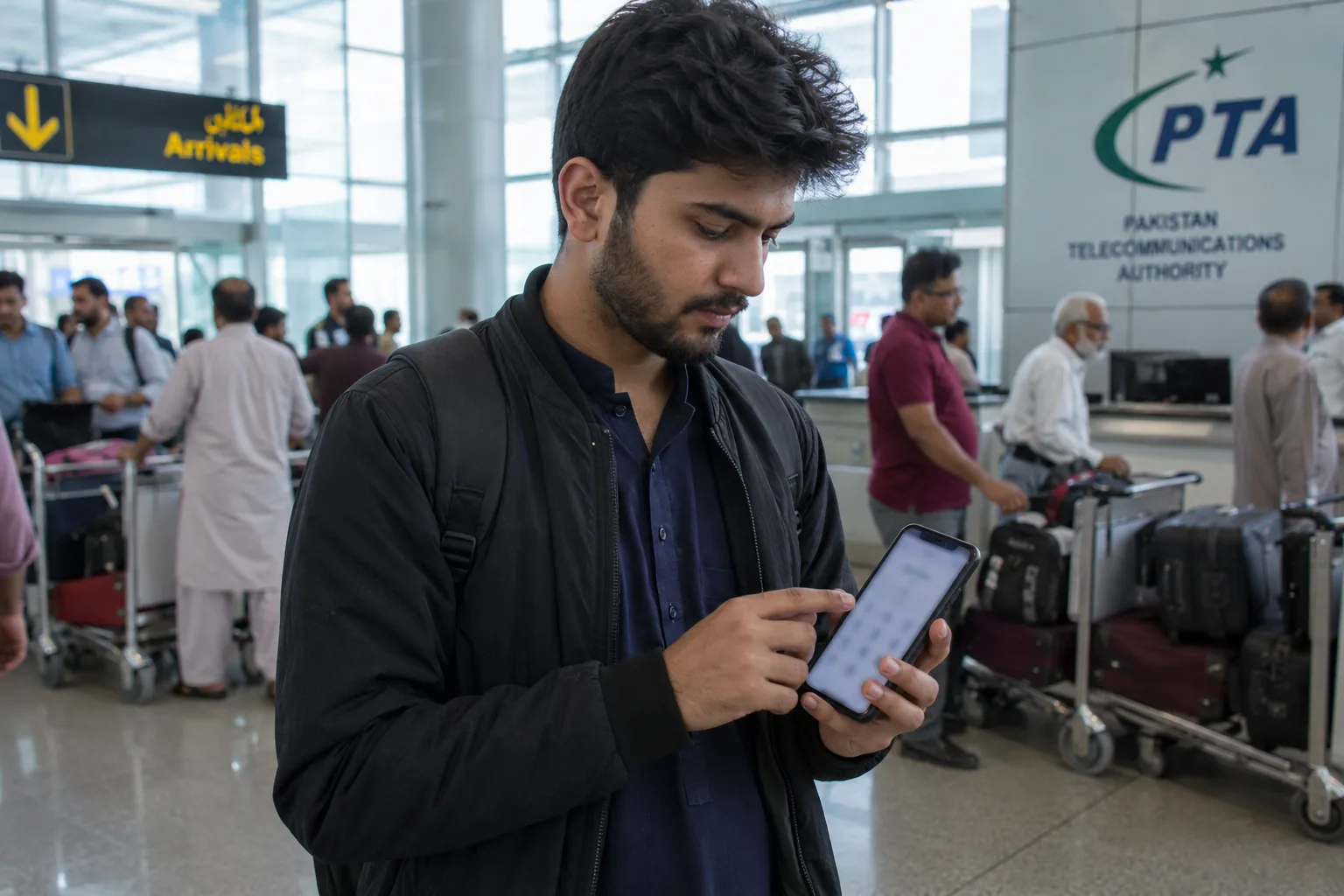
To check if your phone is PTA approved, dial *#06# for your IMEI, then send it to 8484 or enter it at dirbs.pta.gov.pk. “Compliant” means approved; “Non-Compliant” or “Blocked” means it isn’t.
Checking takes under a minute, but the real deadline that matters comes after: unregistered phones lose SIM access on every Pakistani network exactly 60 days after first use, not immediately. This guide covers all three official checking methods, how to register before that deadline hits, and what to do if your result comes back unexpected.
Quick Facts: How to Check if Phone Is PTA Approved
Device IMEI isn’t the only thing PTA tracks. If you also want to verify the mobile connections linked to your identity, learn how to check how many SIMs are registered on your CNIC before buying or using a phone.
| Fact | Detail |
| Find your IMEI | Dial *#06# |
| Check via SMS | Text IMEI to 8484 |
| Check via web | dirbs.pta.gov.pk |
| Check via app | DIRBS-DVS app (Google Play / App Store) |
| Grace period | 60 days from first SIM use |
| Networks affected if blocked | Jazz, Zong, Telenor, Ufone, SCO |
| Cost to check | Free |
| Registration approval time | 24 to 72 hours after tax payment |
What Does PTA Approved Mean?
A PTA-approved phone is one registered with Pakistan’s DIRBS system, the official platform that checks whether a device can legally operate on Pakistani mobile networks. The verification is based on your phone’s unique 15-digit IMEI number, which is exactly what a DIRBS PTA check uses to confirm its compliance.
What Role Do the IMEI and TAC Play?
Every IMEI also carries a GSMA-assigned Type Allocation Code (TAC) identifying the phone’s exact make and model. PTA doesn’t maintain a fixed pta approved phone list by model, since approval works per individual device via IMEI rather than by phone model as a whole.
Why Do Some Phones Fail the Check?
If DIRBS flags an IMEI as non-standard, duplicated, or altered, often a sign of a grey-market or tampered device, that phone will fail the compliance check regardless of how new or expensive it looks.
How to Check PTA Approved Status (3 Methods)
Every method below shows you exactly how to check pta approved mobile status using the same core input: your phone’s IMEI number. Whichever method you pick, the process for how to check pta status by imei number takes under a minute.
| Method | How | Cost | Best For |
| SMS to 8484 | Text your IMEI | Standard SMS charge | No internet access |
| DIRBS Portal | Enter IMEI at dirbs.pta.gov.pk | Free | Desktop or browser use |
| DIRBS-DVS App | Enter IMEI in-app | Free | Saved lookup history |
Method 1: SMS Your IMEI to 8484
This is the fastest way to learn how to check pta status by sms if you don’t have internet access handy. Dial *#06# to display your IMEI, or two IMEIs if you have a dual-SIM phone. Text either number to 8484; standard SMS charges apply. You’ll receive a reply within seconds confirming Compliant, Non-Compliant, or Blocked status.
Method 2: Check Online via the DIRBS Portal
For a pta approved check online without spending SMS credit, visit dirbs.pta.gov.pk, enter your IMEI, and submit. This pta imei check online method gives the same result as the SMS check, completely free.
Method 3: Use the DIRBS-DVS App
Since some users prefer a saved history of past lookups, download the official DIRBS-DVS app from the Google Play Store or Apple App Store for the same pta device verification system check on your device.
How to Find Your IMEI Number
Since every method of how to check if phone is pta approved depends on this one number, finding it takes seconds:
- Dial **\*#06#** on your phone’s dialer.
- Note the IMEI(s) shown; dual-SIM phones display two numbers, one per slot.
- Use either IMEI for your pta approved check by imei 8484 or portal lookup.
What If Dialing Doesn’t Work?
If dialing *#06# doesn’t work, you can also find your IMEI on the phone’s box, under the battery on older devices, or in Settings > About Phone. Once you have the IMEI, the verification process is the same for every mobile network. If you’re unsure which operator your SIM belongs to, check our Pakistan SIM codes list for a complete breakdown of all mobile network prefixes.
What If Your PTA Check Fails or Shows Non-Compliant?
A Non-Compliant result means the phone hasn’t been registered and taxed yet, not that it’s necessarily fake or stolen.
What Does Each Status Actually Mean?
- Compliant: Registered and fully approved, no action needed
- Non-Compliant: Not yet registered; can be fixed by paying the applicable tax
- Blocked: The 60-day window has already passed without registration
What Should You Do If the Check Itself Won’t Load?
Here’s how to register non pta approved phone status the right way: most non-compliant phones become compliant once the owner completes DIRBS registration and pays the applicable tax. If your check keeps failing entirely rather than returning a clear status, try again after a few hours since the DIRBS portal has occasional maintenance windows, or fall back to the SMS method instead.
How Do You Register a Non-PTA-Approved Phone?
Here’s how to register a phone with pta if your check came back Non-Compliant, whether you’re doing this for the first time or already know the basics.
What Are the Registration Steps?
Follow these steps to check whether your phone is PTA approved and complete the registration process. For a detailed walkthrough, see the complete PTA mobile registration guide.
- Log in to the DIRBS portal at dirbs.pta.gov.pk (create an account if you don’t have one).
- Select “Individual Certificate of Compliance” and enter your IMEI and personal details.
- The system generates a PSID (Payment Slip ID) showing your exact tax amount.
- Pay via JazzCash, EasyPaisa, a bank branch, or online banking using that PSID.
- Your device updates to Compliant within 24 to 72 hours of payment confirmation.
Is Registration Free for Travelers?
Overseas Pakistanis and foreign visitors can register one personal device tax-free for up to 120 days per visit through the portal’s Temporary Mobile Registration option, so short-term travelers don’t need to pay anything for a phone they’re only using briefly.
Before Buying a Used Phone, Check These 4 Things
If you’re buying a used phone, don’t rely only on the seller’s claim that it’s PTA approved. Take a minute to verify these four things before making the payment:
- Match the IMEI displayed on the phone with the IMEI printed on the retail box.
- Check the IMEI through PTA’s official DIRBS system and make sure the result shows Compliant.
- Avoid phones with altered or duplicated IMEIs, as these may later be blocked.
- Insert your SIM card and test network connectivity before completing the purchase.
How Much Is PTA Tax?
PTA tax varies by device and is based on its declared value and the exchange rate at the time of payment. For a detailed breakdown, read the PTA mobile tax guide.
CNIC registration generally costs more than Passport registration for the same phone, and each CNIC can register a maximum of five devices per calendar year across all methods combined. DIRBS calculates your exact figure only when you generate a PSID for that specific device.
Common Mistakes When Checking PTA Status
Many users get incorrect results simply because of small mistakes during the verification process. Avoid these common errors:
- Using the wrong IMEI on dual-SIM phones.
- Entering an IMEI with missing or incorrect digits.
- Trusting a seller’s screenshot instead of checking the IMEI yourself.
- Waiting until the 60-day deadline before verifying your device.
Frequently Asked Questions
Can I check PTA approved status without an IMEI?
No. Every method for how to check if phone is pta approved requires the IMEI, since it’s the unique identifier DIRBS uses to look up a device’s registration status.
How long does PTA approval take?
Once tax is paid and confirmed, most devices update to Compliant within 24 to 72 hours.
Is the PTA approved check itself free?
Yes, checking status is free through the DIRBS portal and app; only the SMS method carries a standard messaging charge, and registration tax is separate from the check itself.
What happens if a phone is not PTA approved?
It will keep working normally until 60 days after first use, after which all Pakistani networks, including Jazz, Zong, Telenor, and Ufone, will stop working on it, though Wi-Fi still functions.
How do I register a non-PTA-approved phone?
Create a DIRBS account, submit your IMEI for an Individual Certificate of Compliance, pay the generated PSID, and the device becomes compliant within a few days.
What is the DIRBS PTA portal?
DIRBS (Device Identification, Registration, and Blocking System) is PTA’s official platform for checking device compliance and registering phones, accessible at dirbs.pta.gov.pk.
What is the 8484 PTA check code?
It’s the short code you text your IMEI to for an instant SMS reply confirming whether your phone is Compliant, Non-Compliant, or Blocked.
Final Word
How to check if phone is PTA approved comes down to one number, your IMEI, and three free ways to use it: SMS, the DIRBS website, or the official app. Since the real deadline that matters isn’t the check itself but the 60-day window afterward, that’s what actually determines whether your SIM keeps working.
Have you checked your phone’s PTA status yet, or found out the hard way after your SIM stopped working? Share your experience in the comments.
Written by the Chokus.pk team. Last updated July 26, 2026, based on PTA’s official DIRBS system and current registration procedures, though tax amounts should always be confirmed directly on the DIRBS portal since they shift with exchange rates.

Top 10 Best Swimming Pools for Kids in Karachi for Safe Family Fun
Fastest 4G Network in Pakistan: Which Network Comes Out on Top?