
How to Check Zong Balance in Pakistan (2026): *222# and Every Other Way

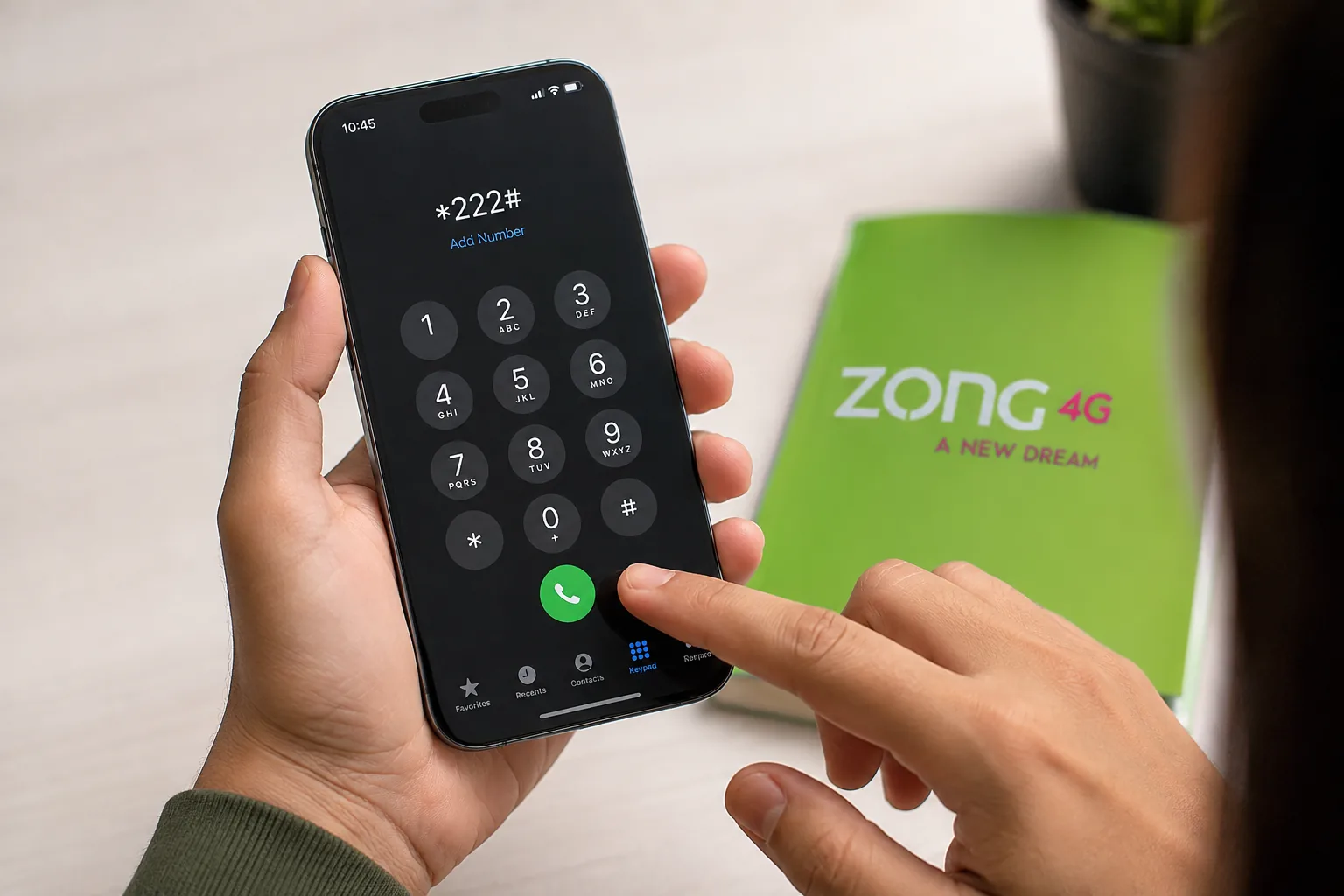
Your call cuts off mid-sentence. Or a recharge you just made isn’t reflecting anywhere. Before you assume the worst, the fix is usually simple: check your balance.
Most people search for how to check Zong balance the moment this happens, and the answer depends on one thing first: are you on a prepaid connection or postpaid? Get that wrong and you’ll waste a balance-check fee staring at an error message instead of an actual number.
Quick Answer
Dial *222# from your Zong SIM to check your Zong balance instantly, it’s the standard code for prepaid users, and a small service charge may apply per check. This answers how to check Zong SIM balance on any phone, even without internet. For a free method, open the My Zong app, where your balance shows on the home screen with no per-check charge.
Zong Balance Check: Codes and Costs at a Glance
Four different systems handle “your balance” on Zong, and each has its own code, cost, and use case. The sections below explain each one in full.
Which Method Fits Your Situation
- No internet, need an answer now → *222#
- Want it free and check often → My Zong app
- On a laptop, not your phone → Zong E-Care portal
- Postpaid and want your bill amount → SMS “BL” to 567
Codes and Costs Table
Which Zong code or method do you need? Use this quick comparison to find the right option for your balance, data or account type before you check
| What | Detail |
| Prepaid balance code | *222# |
| Internet/data balance code | *102# (free) |
| Free method | My Zong app |
| Postpaid bill inquiry | SMS “BL” to 567 |
| Z Wallet balance (different service) | Check via My Zong app |
| Helpline | Dial 310 |
| USSD balance-check charge | A small service charge may apply |
| Works without internet | Yes, all USSD codes |
How to Check Zong Balance Using the *222# Code
Open your phone’s dialer, type *222#, and press call. If you searched how to check Zong balance code, this is it, and a pop-up message appears within 2 to 3 seconds showing your current balance and validity date.
This is the fastest method and works on any phone, including basic feature phones with no internet connection. The trade-off is the small per-check fee, so it’s not the method to lean on if you’re checking multiple times a day.
If *222# Doesn’t Show Anything
If 222# doesn’t respond, a weak signal or temporary network issue may be the cause. Check your signal and try the code again, or switch airplane mode on and off before retrying. If it still doesn’t work, restart your phone or use the My Zong app instead. Postpaid users should use the SMS method described below.
How to Check Zong Balance for Free Using the My Zong App
The My Zong app is Zong’s own official self-service app, and it remains the easiest way to check your balance without paying the USSD fee. Download it from the Play Store or App Store, log in with your Zong number, and your balance appears directly on the home screen alongside your remaining minutes, SMS, and internet data.
For anyone checking their balance more than once a day, this saves real money over time compared to repeatedly dialing *222#.
How to Check Zong Balance from a Computer
If you’d rather use a browser, Zong’s E-Care Portal provides online access to your account information and self-service features. Log in to your account to manage your Zong services and view available account details without using the My Zong app.
For most users checking balance and usage, the My Zong app is the simpler option because Zong provides real-time balance, postpaid dues, usage details and remaining free resources directly in the app.
How to Check Zong Postpaid Balance
Postpaid billing works differently from prepaid credit, so the prepaid balance code won’t give you an accurate picture. Send “BL” to 567 instead to see your current bill amount, or check it directly through the My Zong app’s billing section.
The My Zong app also shows postpaid users their bill summary and usage breakdown on the dashboard, which is generally more reliable than a single SMS reply for anyone tracking a monthly bill closely.
How to Check Zong Internet Balance
Your main balance and your internet balance are tracked separately, so *222# won’t tell you how many MBs you have left. Dial *102# to check your remaining internet resources across active data packages. Zong currently lists a 10-paisa-plus-tax charge per inquiry.
If you’ve subscribed to a specific bundle, you can also check its remaining data and validity to see how much of your package is still available.
How to Check Zong Z Wallet Balance
This is a different service from your mobile balance, and it’s a common mix-up. Z Wallet, powered by JS Zindigi, is Zong’s mobile wallet, used for transfers, bill payments, and mobile banking, not for calls, SMS, or data.
To check it, open the My Zong app and navigate to the Z Wallet section, or use the Zindigi app directly if you’ve registered separately. This only works if your number is registered with a Z Wallet account, and there’s no standalone USSD shortcut confirmed for it, unlike your main *222# balance.
Frequently Asked Questions
What is the code to check Zong balance?
*222# for prepaid users. It’s the official Zong code and works without an internet connection, showing your balance and validity within seconds.
Is checking Zong balance free?
The *222# USSD code charges a small fee, typically around Rs. 0.20 plus tax per check. The My Zong app is free and shows the same information without any per-check cost.
Why is my Zong balance check code not working?
The most common causes are a balance already at or near zero, weak signal, or being on a postpaid line that needs the SMS method instead of *222#. Restarting your phone or switching to the My Zong app usually resolves it.
How do I check my Zong internet balance separately from my main balance?
Dial *102#, which is free and shows your remaining internet resources across active data packages, separately from your main balance.
Is Z Wallet balance the same as my Zong mobile balance?
No. Z Wallet is a separate mobile wallet for payments and transfers, checked through the My Zong app or the Zindigi app. This only works if your number is registered with a Z Wallet account, and it’s separate from the *222# balance used for calls, SMS, and data.
Does Zong have a WhatsApp balance check option?
Not officially confirmed at this time. Zong’s self-service channels are the My Zong app, the E-Care web portal, the *222# USSD code, and the 310 helpline, unlike some other networks that also offer a WhatsApp option.
How to check balance in Zong without any app?
Dial *222# directly from your dialer. No app or internet connection is needed, and the balance shows up as a pop-up within seconds.
Keeping Track of Your Zong Balance Without the Guesswork
Between prepaid, postpaid, internet data, and Z Wallet, how to check Zong balance actually breaks down into picking the right one of four separate systems. *222# remains the fastest option when you need an answer right now, while the My Zong app is the better habit to build if you check often and want to skip the per-check fee. If you’re also planning your next recharge, our guide to Zong Internet Packages 2026 covers the current daily, weekly, and monthly rates. For balance codes and packages on other networks, our telecom section covers Jazz, Ufone, and Telenor too.
By the Chokus.pk Telecom Desk. Last updated: August 29, 2026. *222#, *117#, and the My Zong app were cross-checked against Zong’s own official pages; verify live on your SIM before relying on them.

Top 10 Best Swimming Pools for Kids in Karachi for Safe Family Fun
Fastest 4G Network in Pakistan: Which Network Comes Out on Top?